ConsultOnline
A consultation platform for planning. Every project gets its own branded consultation site, with surveys, maps, an ideas board, a stakeholder CRM and reporting.
What it is
I am the technical lead on ConsultOnline, and I designed and built the platform from the database up.
When a developer or a council wants to build something, they have to ask the people who live nearby what they think. Done well, that consultation shapes the plans and gives the planning application solid evidence. Done badly, only the loudest voices are heard.
ConsultOnline is a platform for doing it well. The original ConsultOnline service launched in 2013 and ran on WordPress. ConsultOnline 2.0 replaces it: a fully bespoke, custom-built platform running on Cloudflare. It is operated by PNPR, a property communications consultancy I have worked with for years, and the rest of the team work in planning communications, so the product is shaped by people who run consultations for a living.
My part is everything technical: the consultation websites the public see, the dashboard that project teams work in, the marketing site, the mobile app and the films that sell it.
It is the largest thing I have built.
Who it is for
Anyone who has to consult the public about a planning proposal:
- Housebuilders, mixed use developers and land promoters presenting a scheme and showing how feedback has shaped it
- Masterplanners and architects gathering comments on emerging designs
- Planning, PR and public affairs consultancies running consultations for their clients, under their own brand if they want
- Local authorities, housing associations and community groups consulting on sites, regeneration and neighbourhood plans
- Infrastructure developers running early engagement on larger projects
It comes in three packages, Essential, Enhanced and Bespoke. With each, a team can manage the consultation themselves or have it managed for them.
What it does
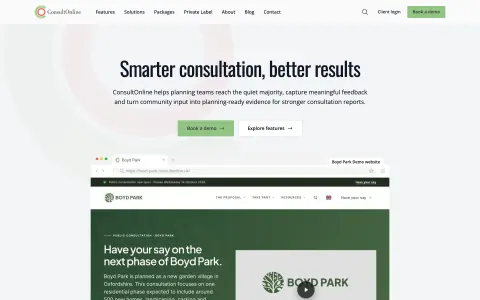
Each consultation gets its own branded website on its own address. Behind it, the project team has one dashboard for everything they would otherwise run in five or six separate tools.
For the public
- A consultation website with the proposals, documents, videos, a timeline, news and FAQs
- Surveys with many question types and skip logic
- Interactive maps where people drop a pin and leave a comment, with a heatmap and a masterplan overlay
- An ideas board where people post suggestions and vote on each other’s
- Prioritisation exercises, so people can say what matters most and not just what they object to
- A virtual exhibition: the display boards from the village hall, walked through online
- Live drop-in sessions run online in a question and answer format
- Translation into other languages, and an accessibility target of WCAG 2.1 AA
- Works offline as an installable web app, with a kiosk mode for consultation events
For the project team
- A setup wizard and site builder to get a consultation live without a developer
- A stakeholder CRM that keeps one record for every resident, councillor and group, with every contact logged
- Campaigns by email, plus postcards and letters designed in the dashboard and sent through a print and post service
- User verification by postcode and by text message, so the team knows responses come from real local people
- Analytics built in house, including where responses come from and which themes come up most
- AI-assisted coding of free text answers into themes and sentiment, and draft narrative reports
- Reports as PDF and CSV, on demand or on a schedule
- A WhatsApp chatbot that answers questions about the project and passes the rest to a person
- An API and embeddable widgets for clients who want consultation tools on their own site
- An audit trail, team permissions, support tickets and reporting across every project an organisation runs
How it uses AI
AI is in ConsultOnline where there is a lot of text to get through, and in each case a person checks the result.
- Reading the comments. Free text answers are scored for sentiment and sorted into recurring themes, so the team can see what people are saying before the consultation closes. It is a first pass. The team still checks it against the responses themselves.
- Drafting the report. The platform puts the figures, charts and analysis into a draft consultation report. It is a draft for the team to review and correct before it goes anywhere near a planning committee.
- Answering residents’ questions. A chatbot on each consultation website answers from that project’s published documents, pages and FAQs, links to the sources it used, and points people to the team when it cannot find an answer.
- Starting the website. Upload a Design and Access Statement and the platform pulls out the key information and images to make a draft project website, which the team then reviews page by page against the original.
- Translation. Consultation content can be translated by AI so more residents can take part in their own language, with professional human translation as the option for sensitive or formal consultations.
The product is open about the limits. Automated answers and analysis can be wrong or miss context, so they are treated as an aid to review, and residents are always given a way to reach a person. That is the approach I take on any project: see AI for your business.
What sets it apart
- One platform in place of several tools. Consultation teams often use separate products for surveys, maps, email and contact records. Here the website, surveys, maps, CRM, notifications, analytics and reporting are one system, so responses can be reviewed together.
- Built for UK planning. It is not a general survey tool adapted for the job. The reports are laid out the way planning committees expect, and the workflows follow how a planning consultation runs.
- Evidence that responses are local. Letters posted through the platform can carry a personal registration code, which confirms that the person responding lives at the address contacted. Reporting shows verified local voices and groups near-identical campaign responses together.
- Online and on paper together. Direct mail, QR codes on printed material and tablets at exhibitions all lead back to the same consultation, so offline publicity and online responses can be reviewed in one place.
- Made for the people who usually stay quiet. Mobile-first pages, translation, accessibility tools and surveys that keep their place if the connection drops are there to bring in more than the people who already turn up to public meetings.
How it was developed
The planning side came first. The team have spent their careers explaining development proposals and running consultations, and the requirements come from that work. My job is to turn them into software that is reliable and easy to use, both for the people managing a consultation and for the residents taking part.
ConsultOnline 2.0 is also where we try things the original service did not do:
- a draft website made from the planning documents
- leaflets, hoardings and exhibition boards generated from the website content, ready to print or post
- project videos made in the dashboard, including narrated explainers
- a social advertising kit with tracked links, so promotion can be tied to responses
- a presentation version of the consultation report
- a website that carries on after the consultation, through the planning application and into construction updates
The aim is to take the repetitive production work out of consultation and move it on from a website with a feedback form, so a project team’s time goes on listening and responding.
How it is built
ConsultOnline is one codebase holding five applications and twelve shared packages.
- The platform is SvelteKit and Svelte 5. One application serves the marketing site, the dashboard and every consultation website.
- Data lives in PostgreSQL, with row-level security so that one client can never see another’s records. Drizzle handles the schema and queries.
- Sign in uses passkeys, with optional two-factor authentication.
- Background work such as sending campaigns, building reports and coding responses runs on a job queue, with a search index for the dashboard.
- The marketing site is managed in Payload CMS, so the team can publish pages and blog posts themselves.
- A second application builds dedicated sites for clients who want their consultation on their own domain.
- Tests run in Vitest and Playwright.
The mobile app
There is a native app for iPhone and Android, built with Svelte and Capacitor so it shares its interface with the web platform. It is in testing and is not in the app stores yet.
Films and marketing
I also made the marketing material. The films are built in code with Remotion, which means the footage is the real product and a film can be re-rendered when a screen changes. So far that is the promotional film in landscape and square, 18 short films for social media covering one feature each, and 41 narrated how-to guides with captions for the help centre.
Want something like this? The service behind it: Web Application Development (From £2,495).
On film
The two-minute promotional film. Animated in code, so it can be re-rendered whenever the product changes.
Short films for social media, one feature each. Tap to play with sound.
-
Ideas board
-
Interactive maps
-
Stakeholder CRM
On every screen
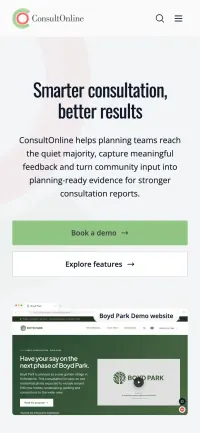
Most visitors arrive on a phone. These are fresh captures of the live site at tablet and phone size.
The phone scrolls through the page as you scroll this one.
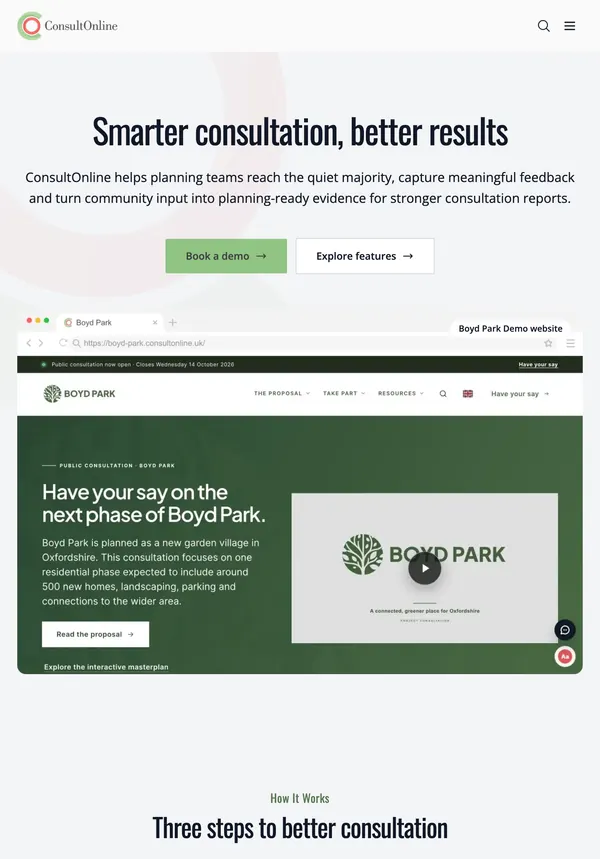

A consultation website
Boyd Park is the demonstration project: a made-up garden village with a full consultation website, used to show clients what theirs will look like.
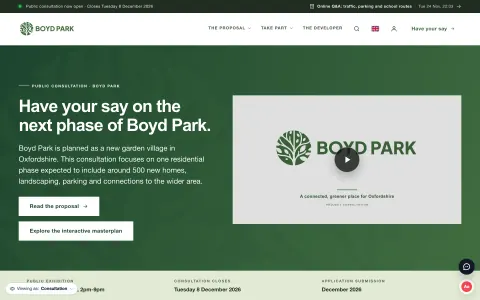
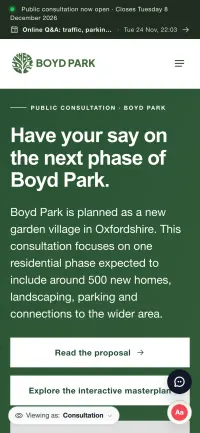
A closer look
-
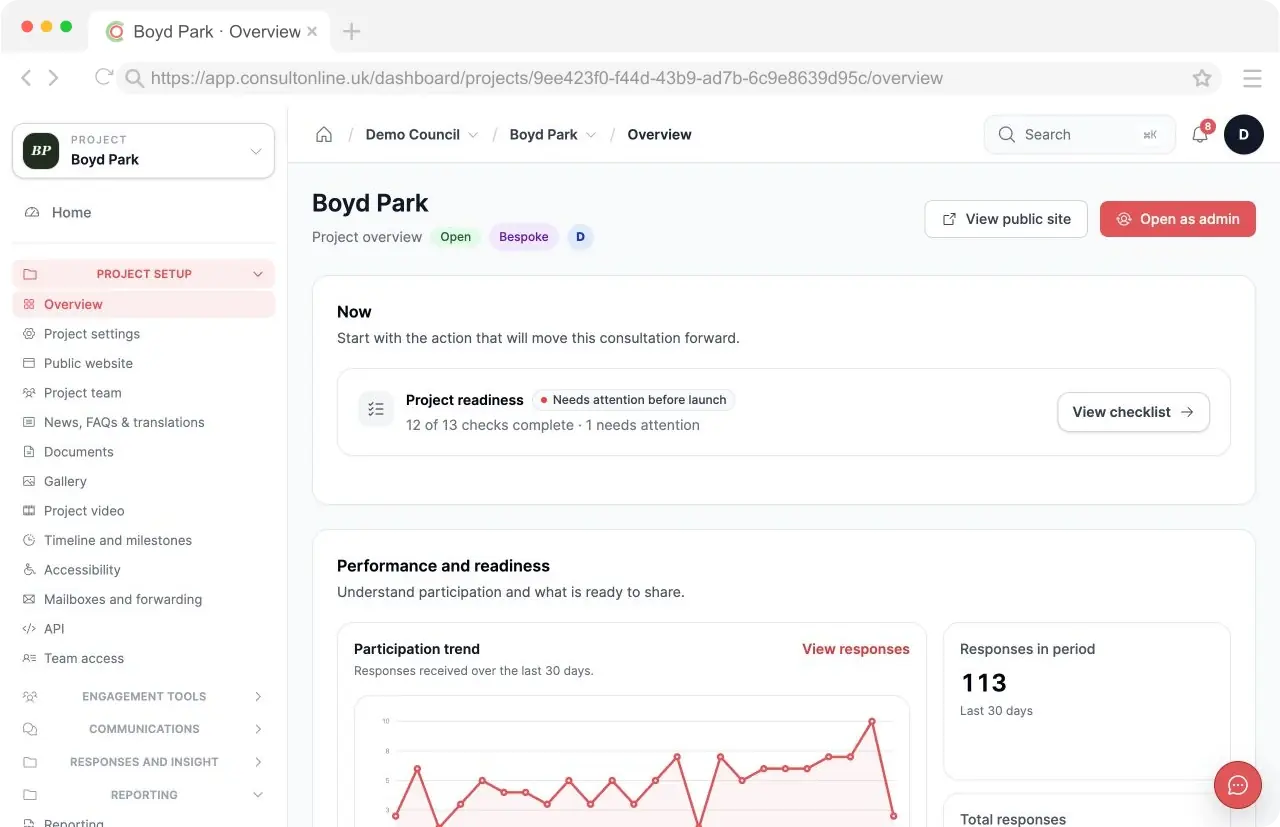
The project dashboard: what needs attention, and how participation is going.
-
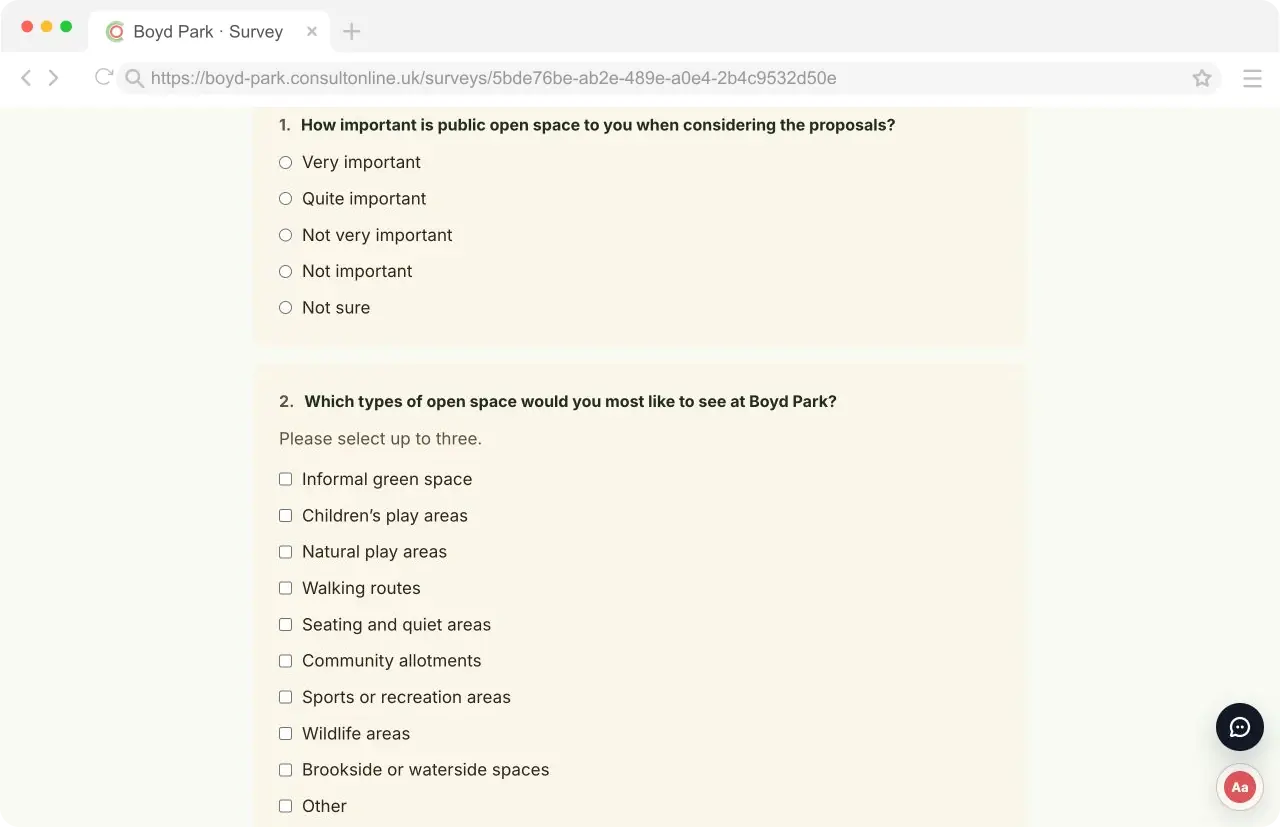
Surveys built in the dashboard, answered on the consultation website.
-
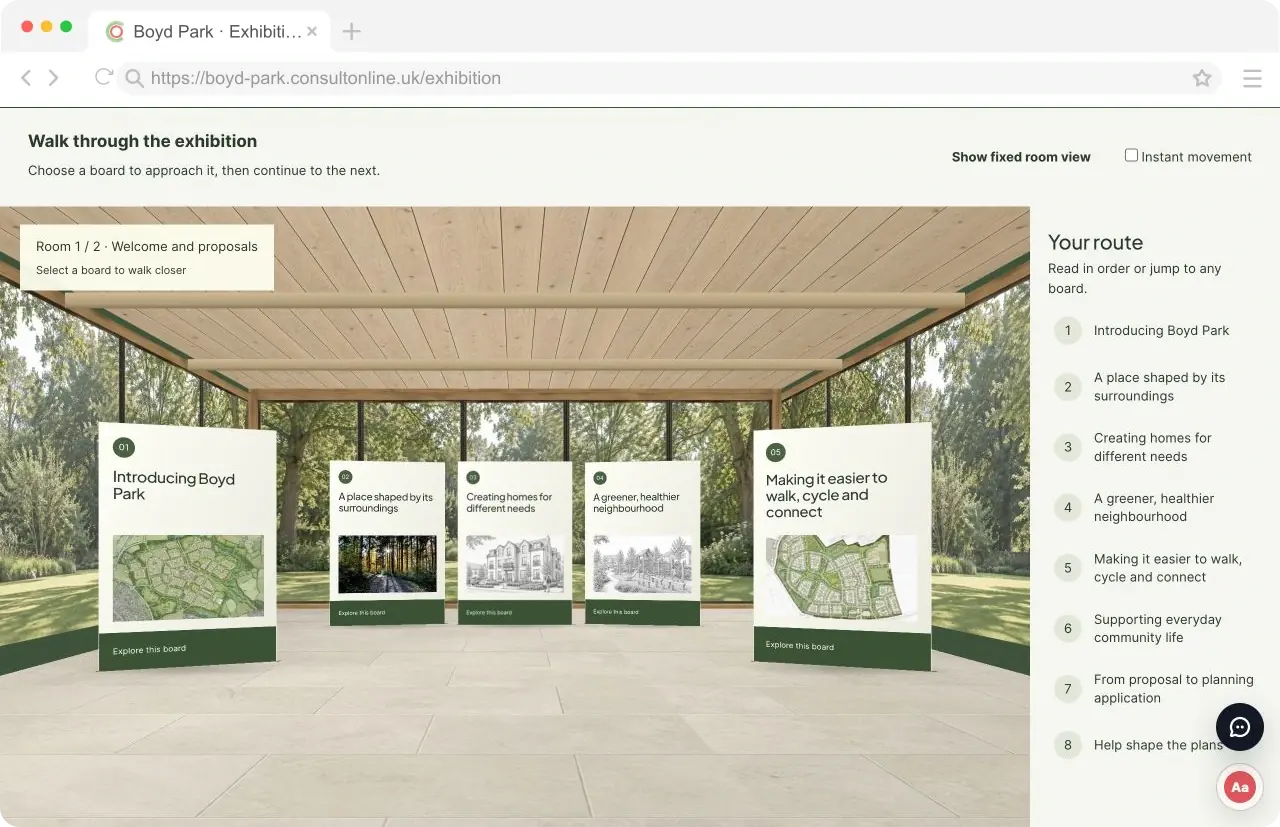
The virtual exhibition: the boards from the village hall, online.
-
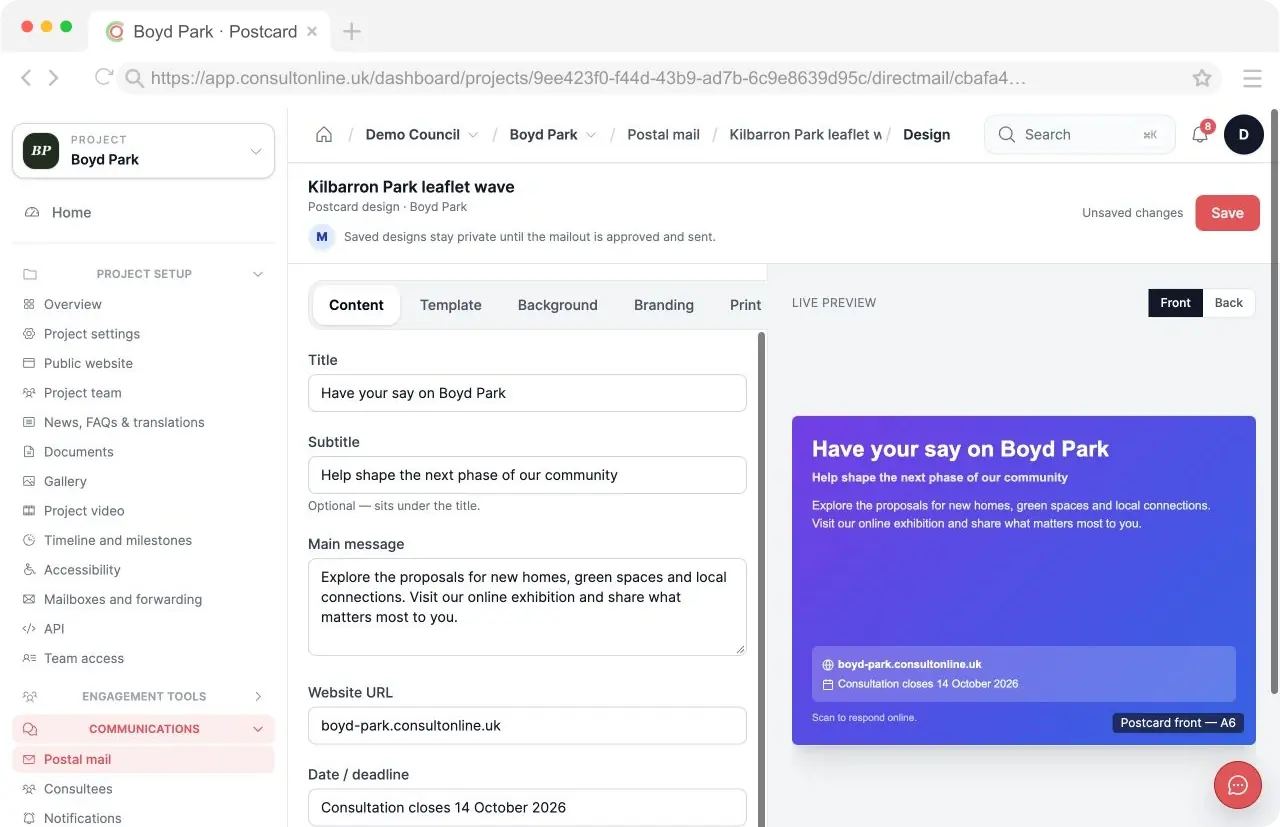
Postcards and letters designed and ordered from the dashboard.
-
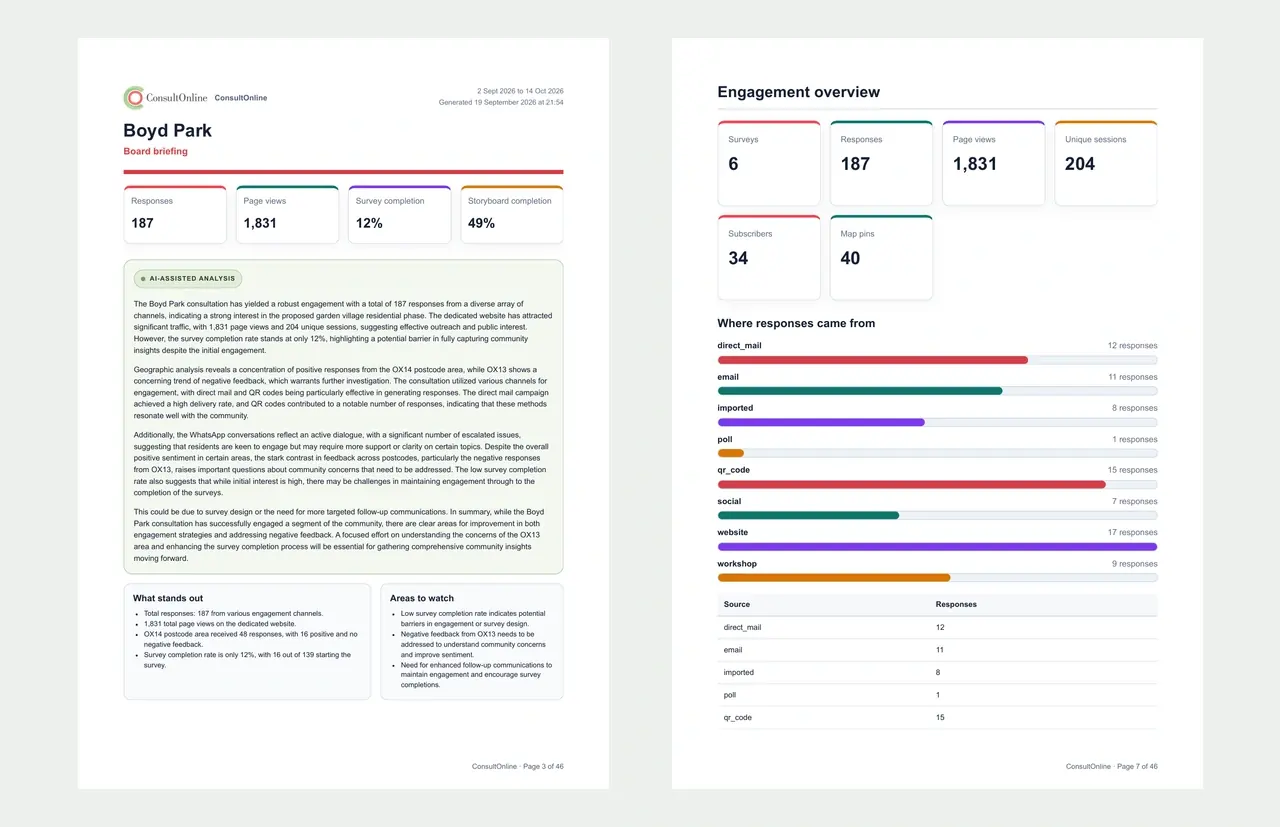
Reports that are ready to go into a planning submission.
-
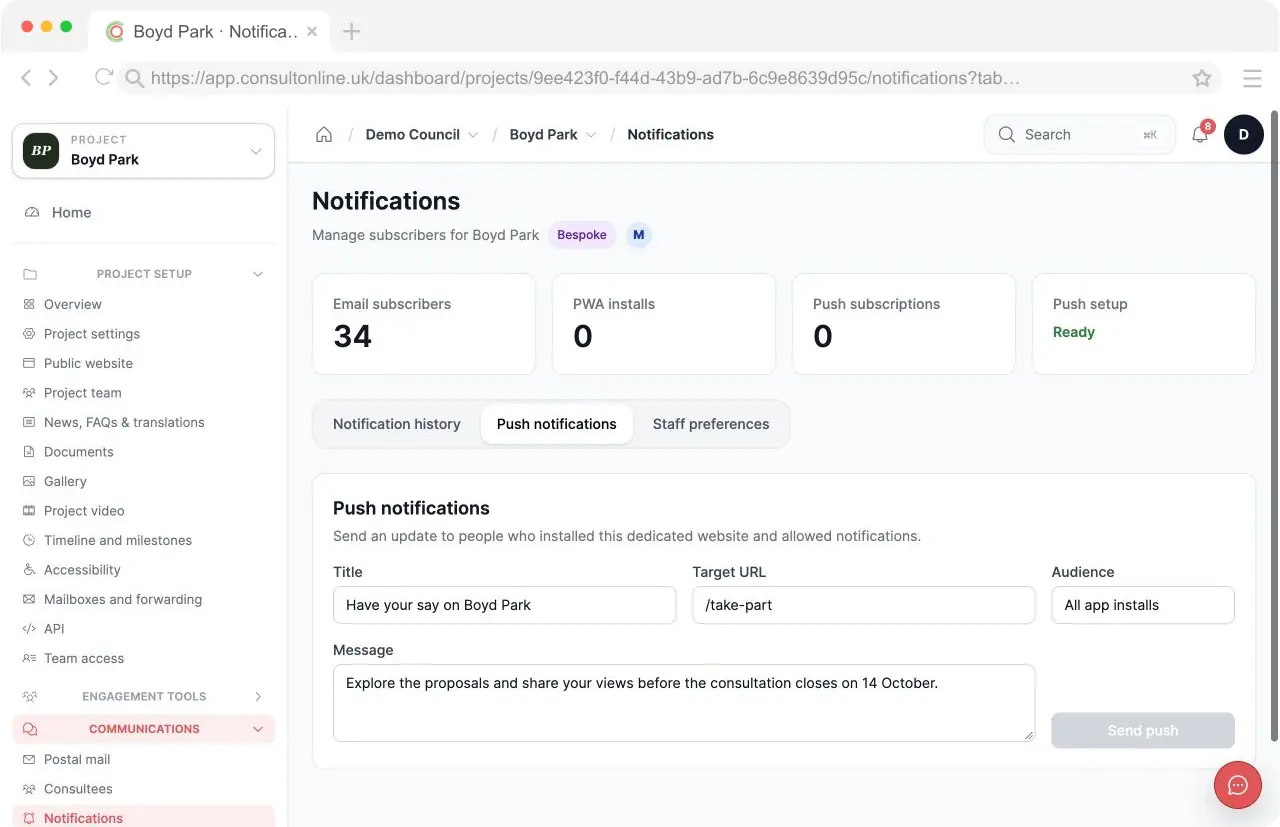
Updates to subscribers by email and push notification.


